
Follow a lecture in a language you are still learning
30+ languages · Purpose-built for mixed-language meetings*
Studying a language, or studying abroad? KaigiFlow shows each sentence of the class as text with its translation on your Mac, iPhone or iPad while the lecture goes on. Afterwards you have a transcript to study from.
In the lecture hall or seminar room
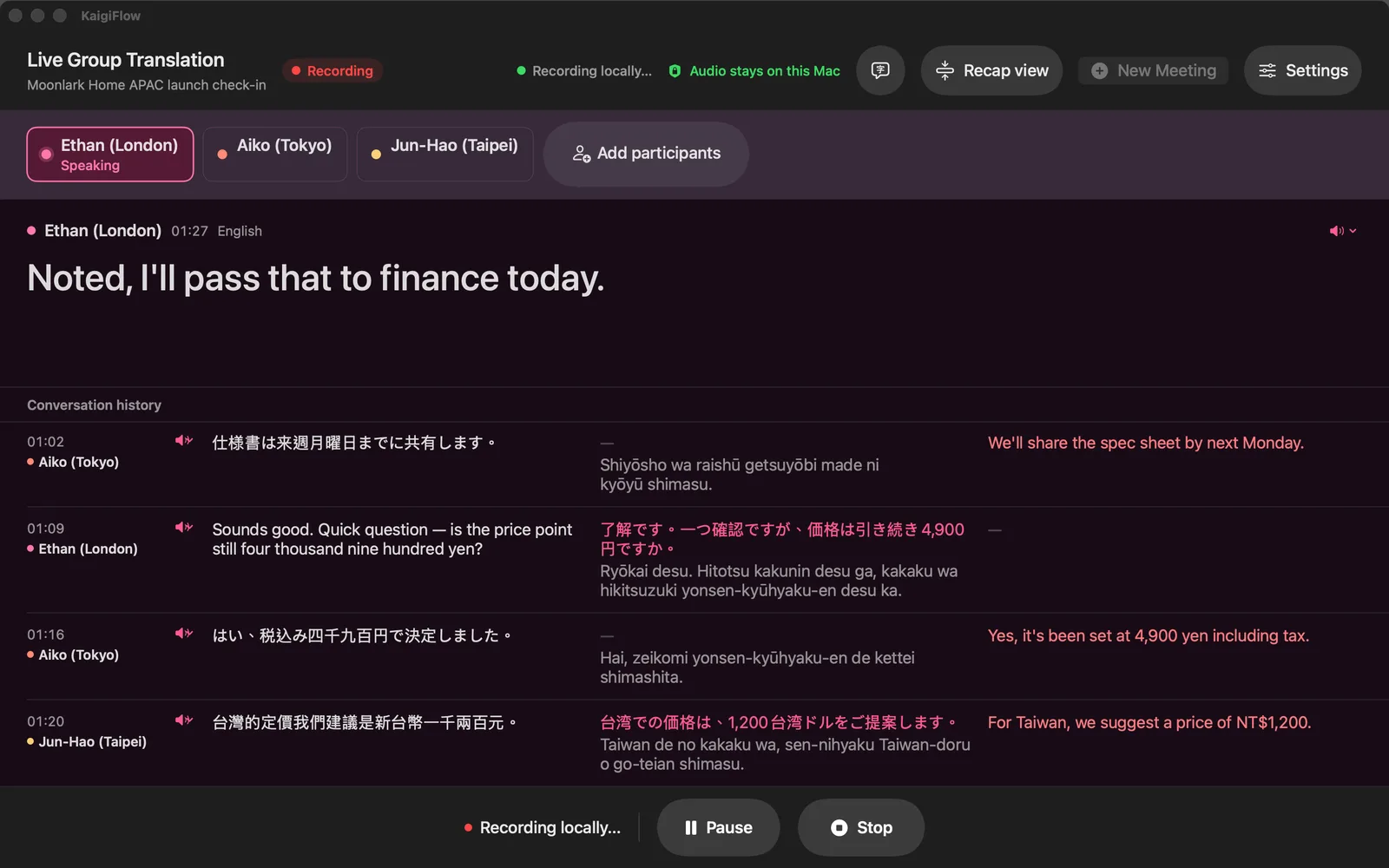
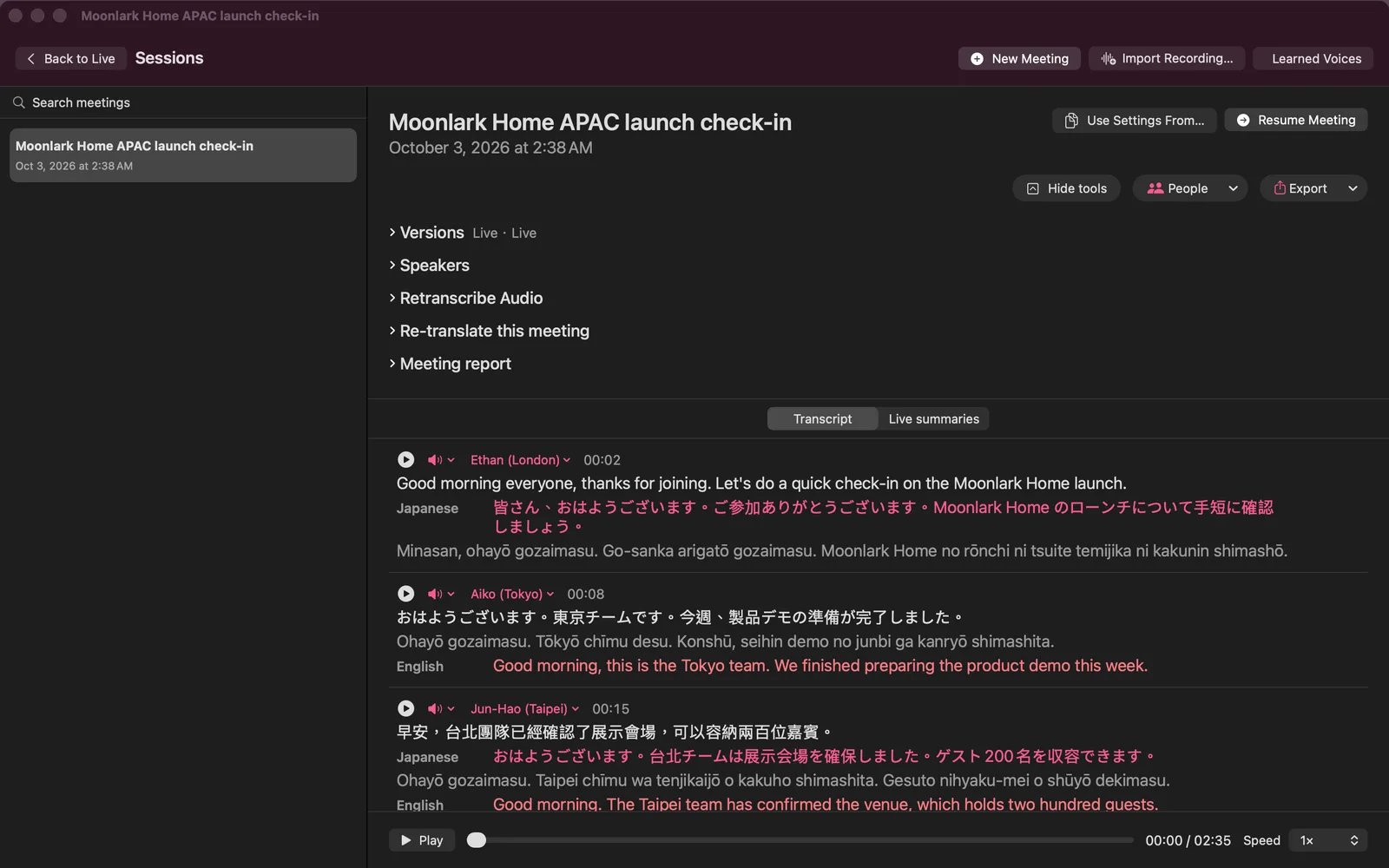
Put your Mac, iPhone or iPad where it can hear the speaker. Each sentence appears as text, with the translation you chose beneath it, a few seconds after it is spoken.
You can read the original and the translation together and keep up with the class without waiting for someone to explain.
Take notes on your iPad as you listen
On iPad, switch the workspace from Columns to Notes. You can write with Apple Pencil or your finger, or type: pen, highlighter, eraser, lasso and text boxes, on as many pages as you add. Recording carries on while you write.
A small box stays on the page and shows the translation, the transcript or, where your iPad offers it, the summary. You can move it, resize it or minimise it. Each note remembers the moment in the meeting where you wrote it, you can flag a moment to come back to, and you can jump from a note to that point in the transcript.
Your notes stay on your own devices. With iCloud sync on, they travel through your own iCloud, so you can read them on your iPhone and Mac too. They are not sent to Sangei Cloud.
Classes and campus life in more than one language
Studying abroad is rarely done in one language. A lecture in English, a question in Spanish from the next seat, a group project in three languages. KaigiFlow is built for meetings that move between languages, and one meeting can mix two or three of them.
The same goes for office hours and group projects.
Show one meeting in more than one language.
How many languages you can show at once depends on your device.
If you are learning the language
- Read the original and its translation side by side, line by line.
- Switch on Read aloud and each new translated line is read in one language, the first you listed, with a voice on your device. Nothing is sent. Use headphones while recording, so the microphone does not pick the voice up again.
- On Mac, a Japanese line can show its reading in romaji beneath it.
After class
Replay the sentence you missed and check it against the text. Re-reading the saved recording refines the transcript and the translation, and the live version stays beside it. After you correct the speakers' names, export a report as a PDF, web page, Markdown or plain text file (also Word on Mac).
Audio is sent to Sangei Cloud only when you turn it on.
Some features use Sangei Cloud to hear your meeting audio, only after you agree. You can turn this off at any time in Settings. With iCloud sync on, your recordings are also kept in your own iCloud.
What to expect
- Live text arrives a few seconds after each sentence is spoken.
- Sangei Cloud mode needs an internet connection. Local mode runs on your device, and on some devices it offers fewer languages.
Before you record
Before you record a class or a conversation on campus, ask the lecturer for permission and, where your school's rules require it, the school too. Rules on consent to record, and school policies, differ from place to place. That responsibility is yours.
Honest limits
- KaigiFlow is in beta.
- Which languages you can use depends on your device. See the Languages page.
- AI-generated. Check important details before you rely on them: names, figures and terms especially.
In Sangei Cloud mode, 32 languages are available on every device. In Local mode (on-device), some devices support fewer languages. See the supported languages
Join the beta
We're opening the beta in small groups. Join the list and we'll write to you as places open.
Join the private beta