
Interview in one language, read it in another
Follow an interview or research call as it happens, then work from a transcript you can check line by line. KaigiFlow is in beta on Mac, iPhone and iPad.
Follow it live
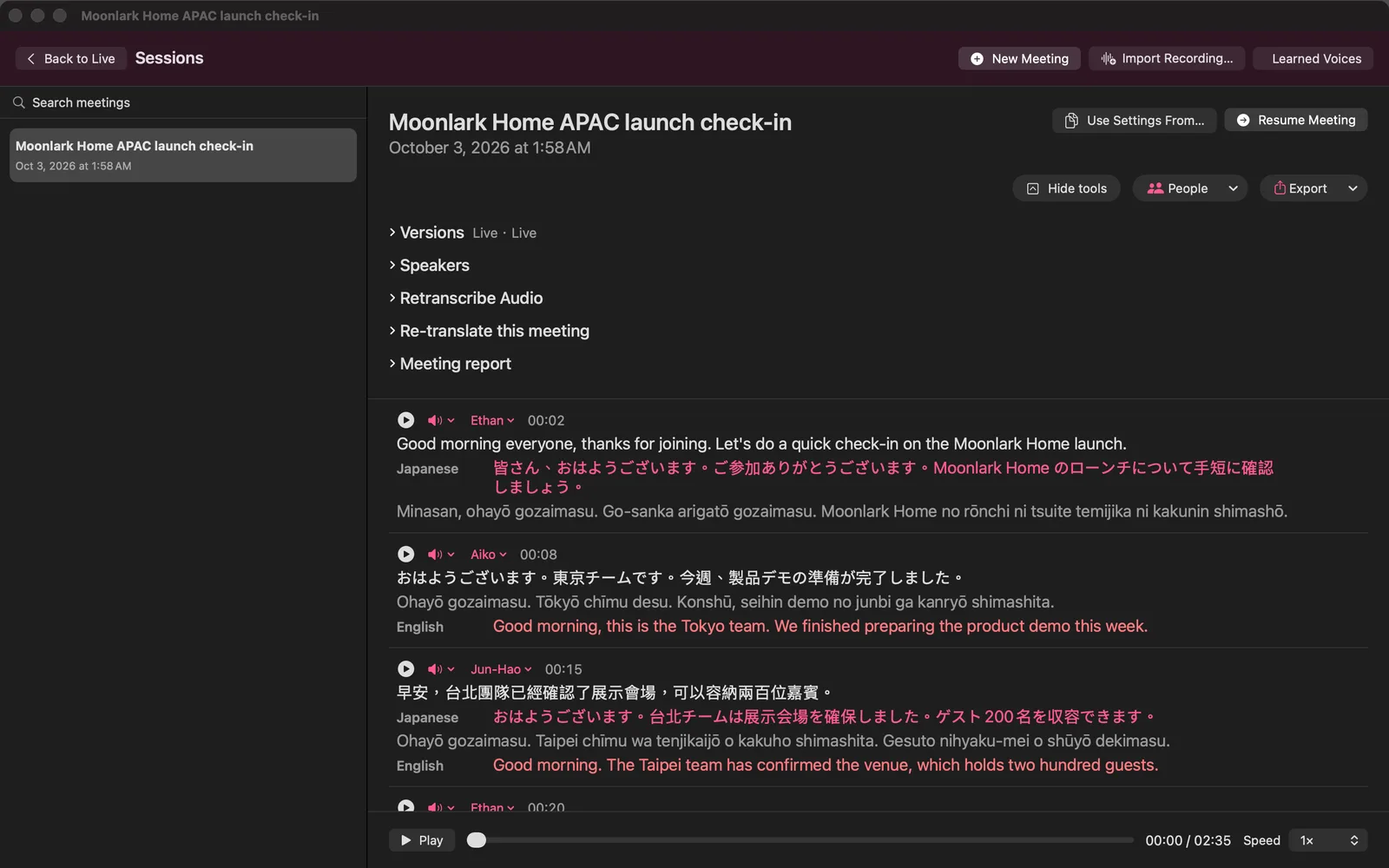
Your guest speaks in one language and you read the translation under each line, with the speaker's name beside it. Live text arrives a few seconds after each sentence.
Check any sentence
When a quote matters, replay that exact sentence from the saved meeting and compare it with the text before you use it.
Name your speakers
Rename the speakers yourself, for example interviewer and guest, and the saved transcript uses the names you typed.
Take the transcript with you
Export a report as a PDF, web page, Markdown or plain text file (also Word on Mac).
Before you record
Make sure everyone in the conversation has agreed to be recorded. That responsibility is yours.
Honest limits
- KaigiFlow is in beta.
- Live text arrives a few seconds after each sentence is spoken. It is not instant.
- Which languages you can use depends on your device. See the Languages page.
- AI-generated. Check important details before you rely on them: names, figures and terms especially.
Join the beta
We're opening the beta in small groups. Join the list and we'll write to you as places open.
Beta for Mac, iPhone and iPad