
Follow a Japanese business meeting as it happens
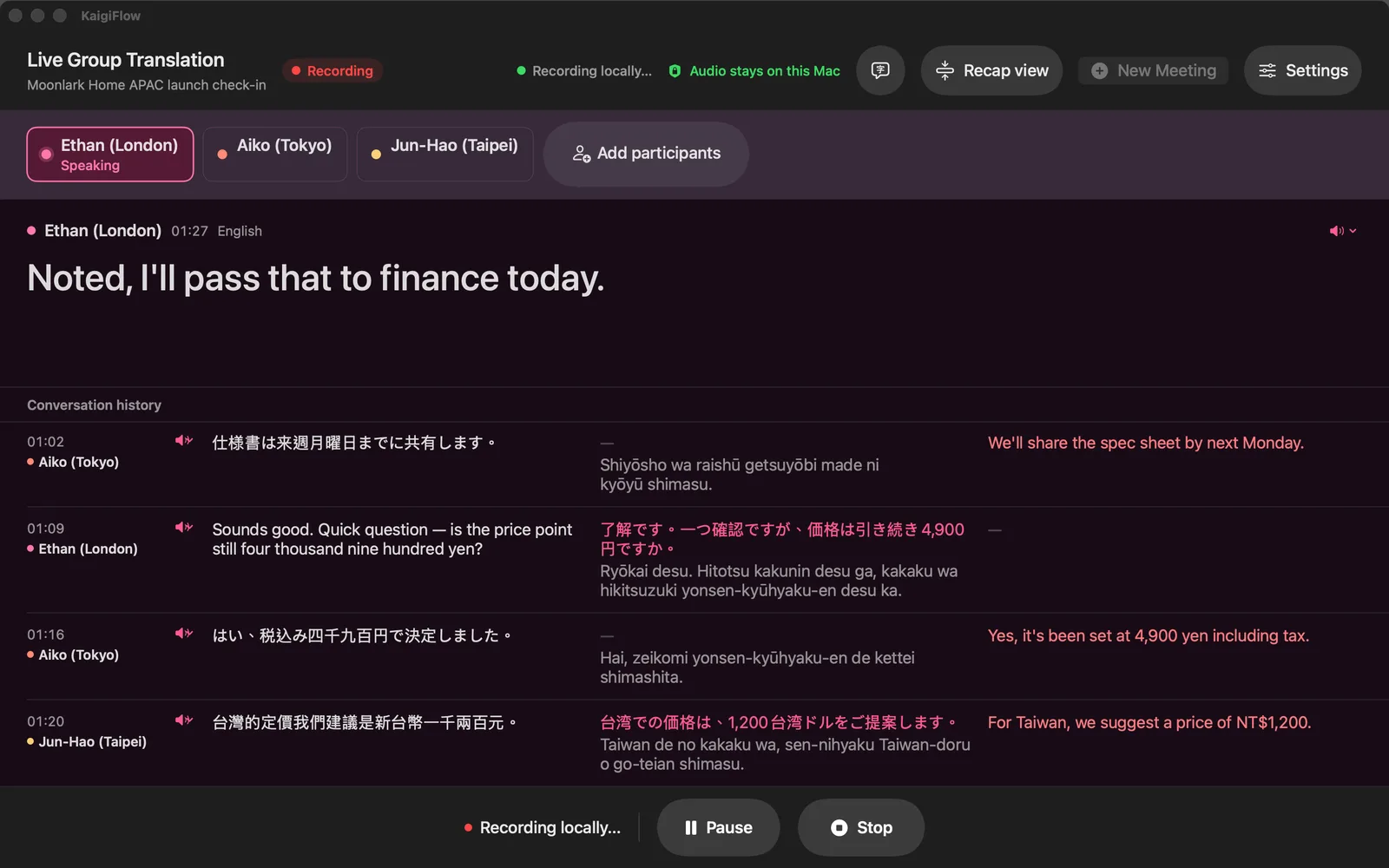
English, Japanese and Chinese can all be spoken in the same meeting. KaigiFlow shows each line with its translations, so you can follow along without waiting for a summary.
One meeting, more than one language
A call that starts in English, continues in Japanese and ends with a Mandarin question from Taipei. Each line appears under its speaker, with the translations you chose beside it.
Show one meeting in more than one language.
How many languages you can show at once depends on your device.
Japanese with its reading
On Mac, a Japanese line can show its reading in romaji beneath it, which helps when you can follow the spoken language better than the script.
Who said what
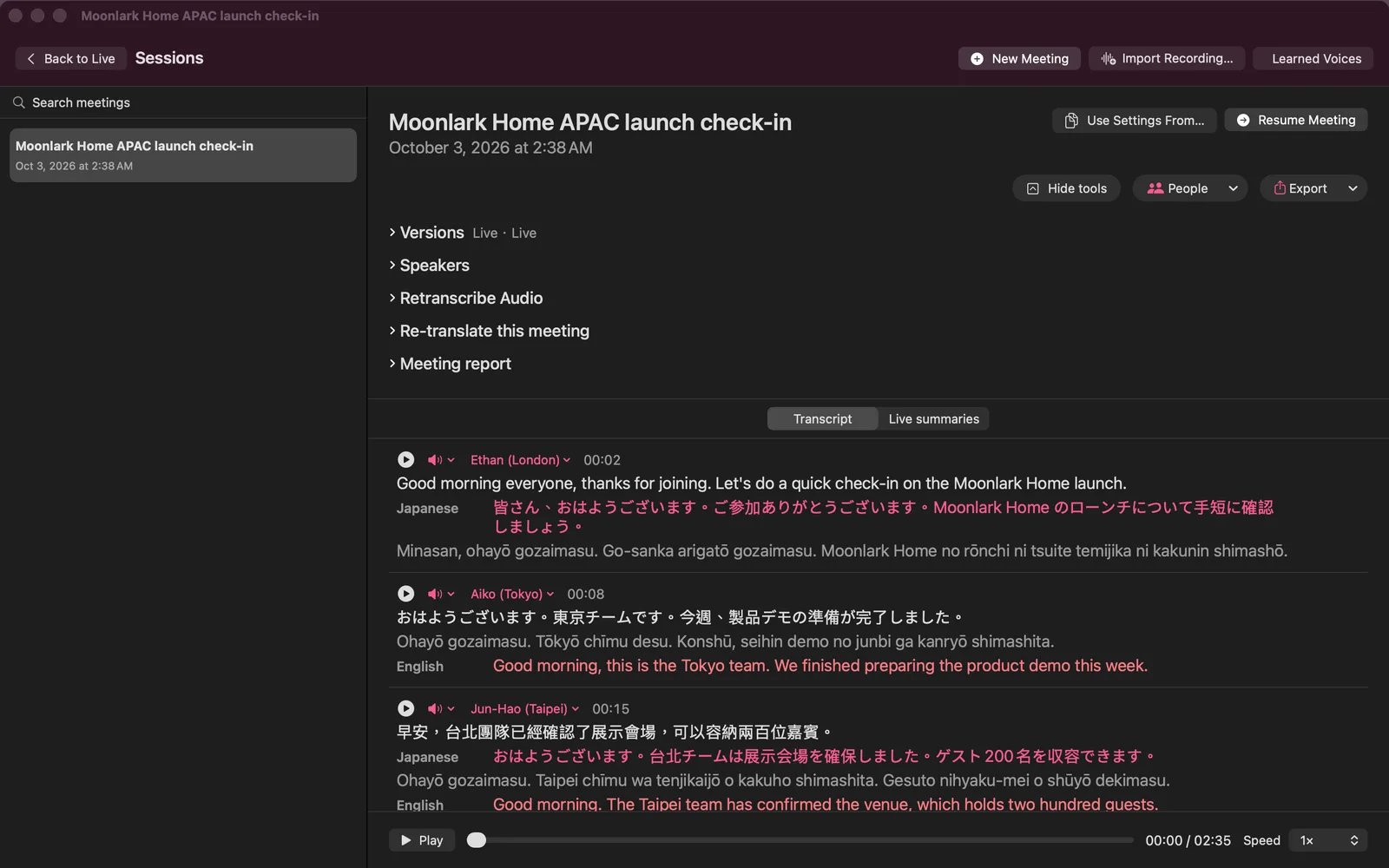
Set the speakers' names by hand, before the meeting or afterwards, so the saved transcript reads Ethan, Aiko and Jun-Hao instead of Speaker 1, 2 and 3. Replay any sentence to check it.
Reports to take away
Export a report as a PDF, web page, Markdown or plain text file (also Word on Mac), named with the meeting title, the kind of file, the language and the date.
Where the meeting stays
Two things to know about the meeting audio:
On Mac, Local mode keeps the meeting on your Mac.
Unless you turn on iCloud sync (your own iCloud) or choose a cloud feature such as a cloud re-read.
Audio is sent to Sangei Cloud only when you turn it on.
Some features use Sangei Cloud to hear your meeting audio, only after you agree. You can turn this off at any time in Settings. With iCloud sync on, your recordings are also kept in your own iCloud.
Honest limits
- KaigiFlow is in beta.
- Live text arrives a few seconds after each sentence is spoken. It is not instant.
- Which languages you can use depends on your device. See the Languages page.
- AI-generated. Check important details before you rely on them: names, figures and terms especially.
Join the beta
We're opening the beta in small groups. Join the list and we'll write to you as places open.
Beta for Mac, iPhone and iPad