
Run a client call in two languages
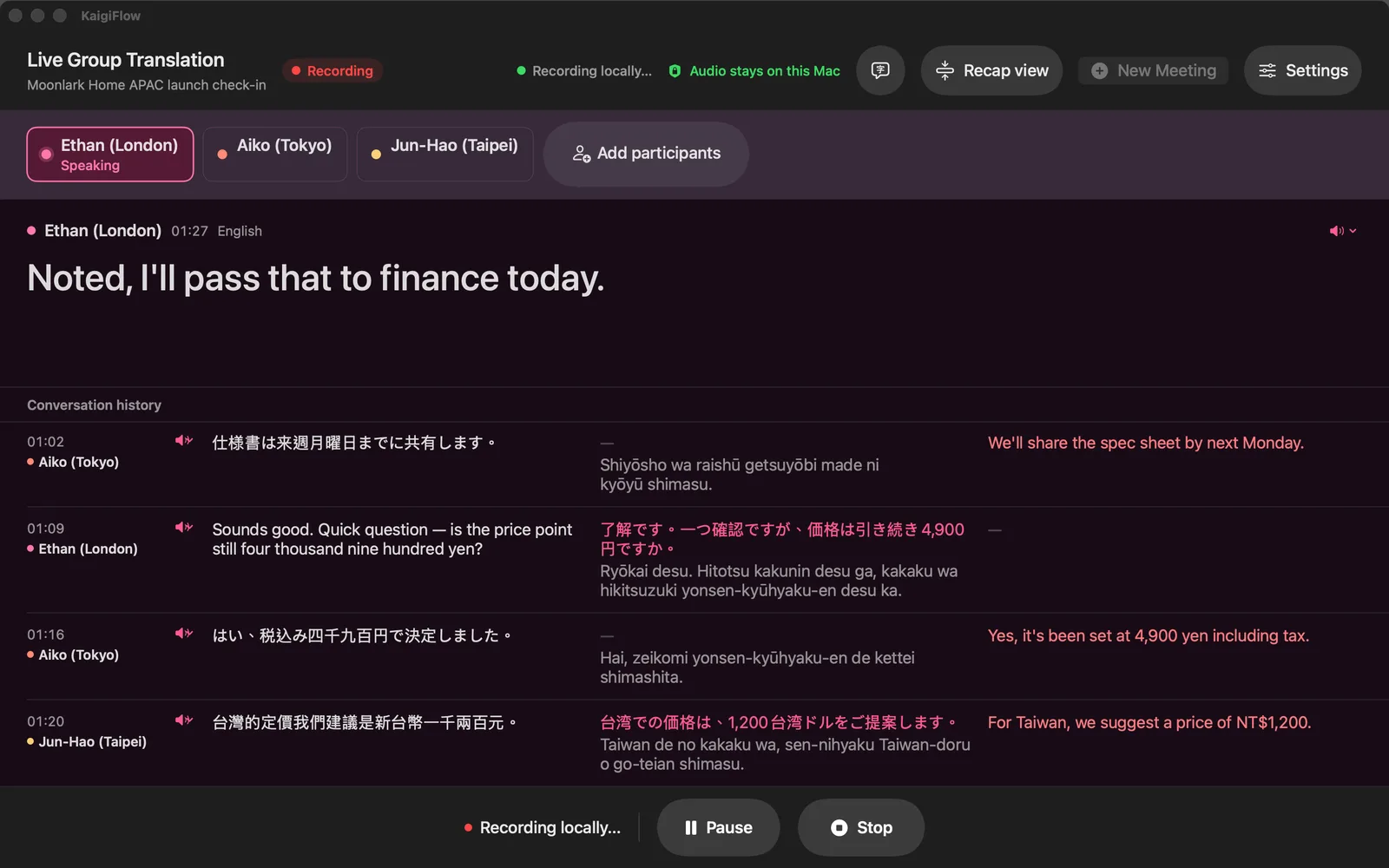
When your customer speaks another language, KaigiFlow shows each sentence with its translation on your Mac or iPhone while the call is still going. Afterwards you have a record you can check.
The call you are probably in
A buyer in Tokyo, a supplier in Taipei, a colleague in London. The call keeps moving between languages and nobody wants to stop for a summary.
KaigiFlow listens to your microphone or your Mac's system audio and puts speaker-labelled text on screen as people talk, with a translation under each line. No bot joins the call.
What you see during the call
- Each speaker's line, labelled with their name, with its translation beneath it.
- The Recap view, a short summary of the last minute, for when you looked away.
- Live text a few seconds after each sentence is spoken.
Show one meeting in more than one language.
How many languages you can show at once depends on your device.
After the call
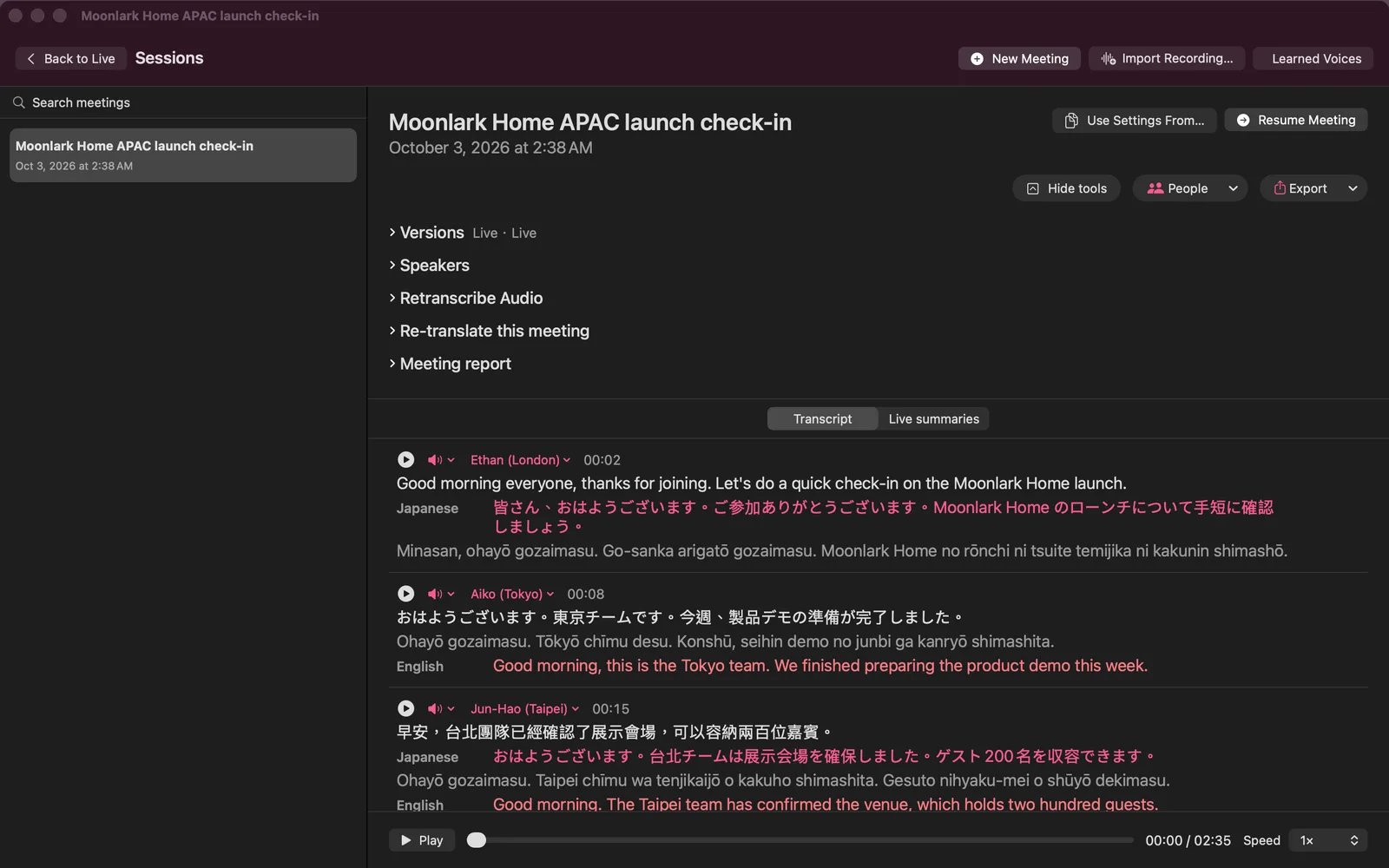
Replay the exact sentence you want to check, confirm who said it, and correct a speaker's name by hand. Then export a report as a PDF, web page, Markdown or plain text file (also Word on Mac).
Where the meeting stays
No bot joins, and you choose what leaves your Mac.
On Mac, Local mode keeps the meeting on your Mac.
Unless you turn on iCloud sync (your own iCloud) or choose a cloud feature such as a cloud re-read.
Honest limits
- KaigiFlow is in beta.
- Live text arrives a few seconds after each sentence is spoken. It is not instant.
- Which languages you can use depends on your device. See the Languages page.
- AI-generated. Check important details before you rely on them: names, figures and terms especially.
Join the beta
We're opening the beta in small groups. Join the list and we'll write to you as places open.
Beta for Mac, iPhone and iPad